Google Web Sports Game - a Chrome experiment
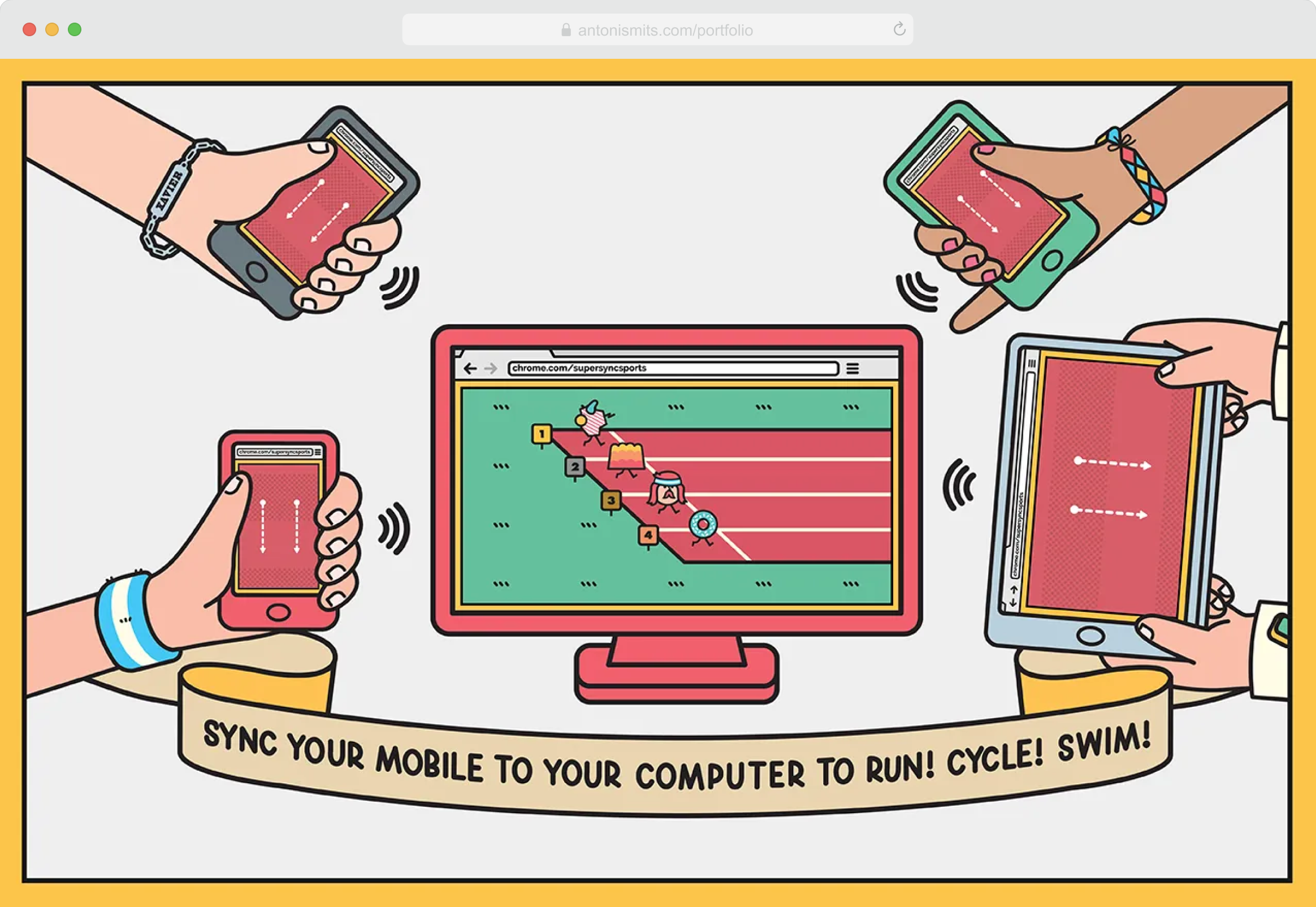
Google Creative Lab invited me to help design and develop a web-based Chrome experiment that showed what the browser could do. The idea let users connect their desktop browser with their mobile phone and use the phone as a game controller. The experiment included three interactive games—running, swimming, and marathon—each with its own set of motion-based controls.
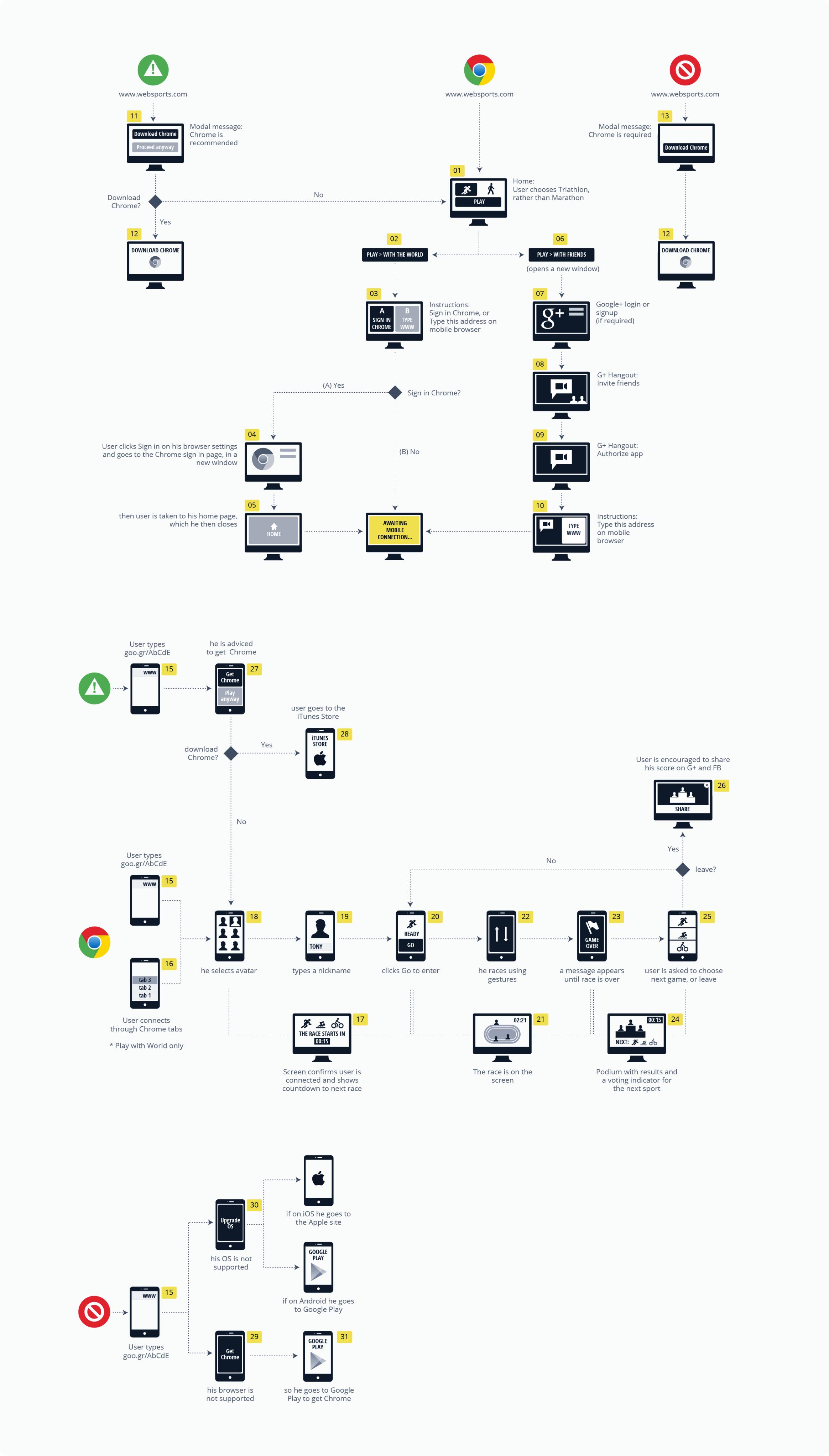
After many design iterations and tests, we created a detailed task flow map that covered all devices and browsers. This helped us track every possible user journey, spot edge cases, and make sure everyone involved shared the same understanding of the experience. The next slide shows a part of this diagram.
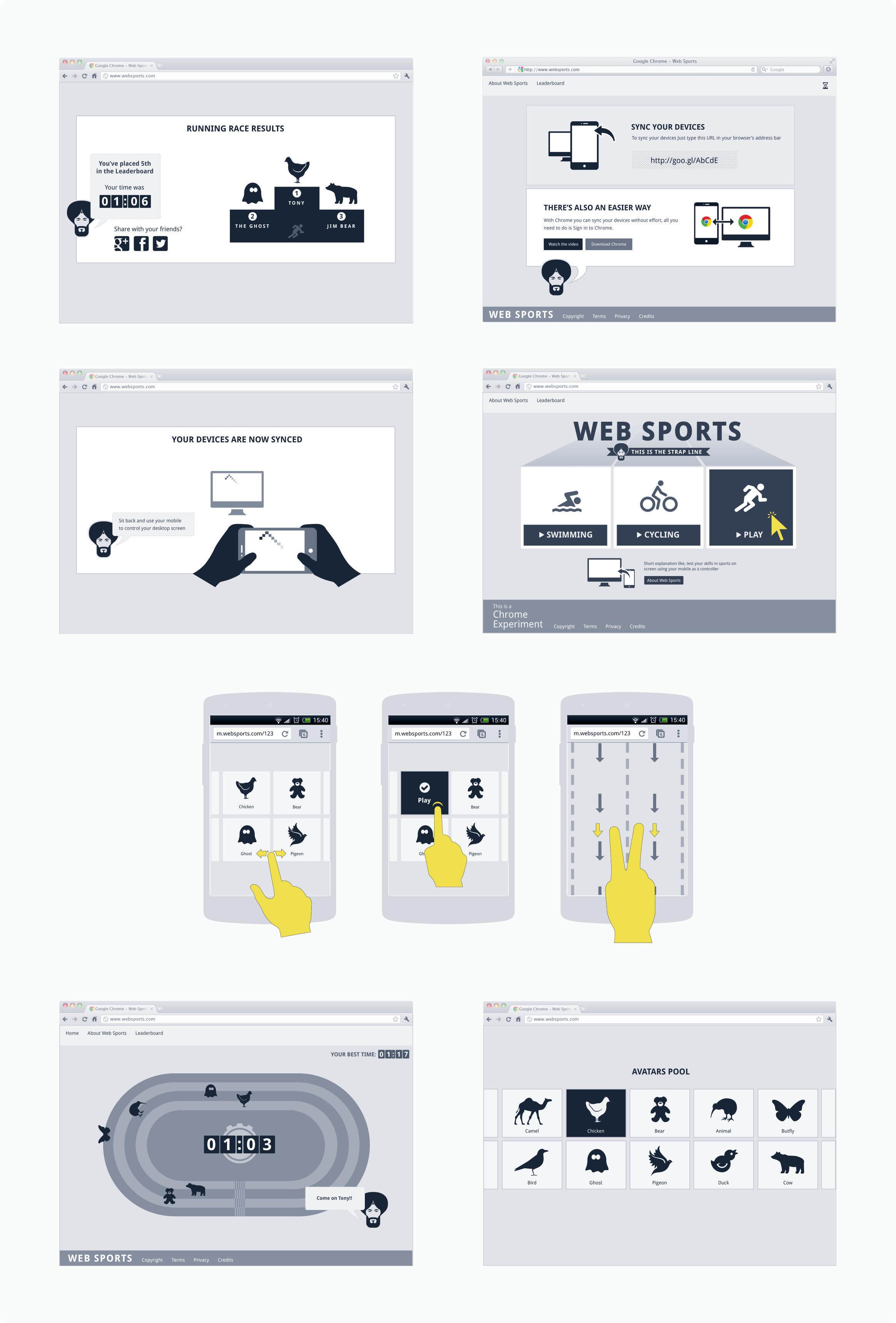
Once we agreed on a complete flow that met business, marketing, and UX goals, we moved on to sketches and wireframes. Several versions were tested with users before finalising the experience. The slides below show part of that final solution.
One of the main challenges was making the connection between desktop and mobile smooth and intuitive. This step was essential, as the project focused on demonstrating Chrome’s ability to link devices. Our solution used a simple short URL that users could type on their mobile. Doing so instantly triggered an animation on both screens, providing clear visual feedback and guiding the user on what to do next.