Enhancing the Volvo Cars online configurator
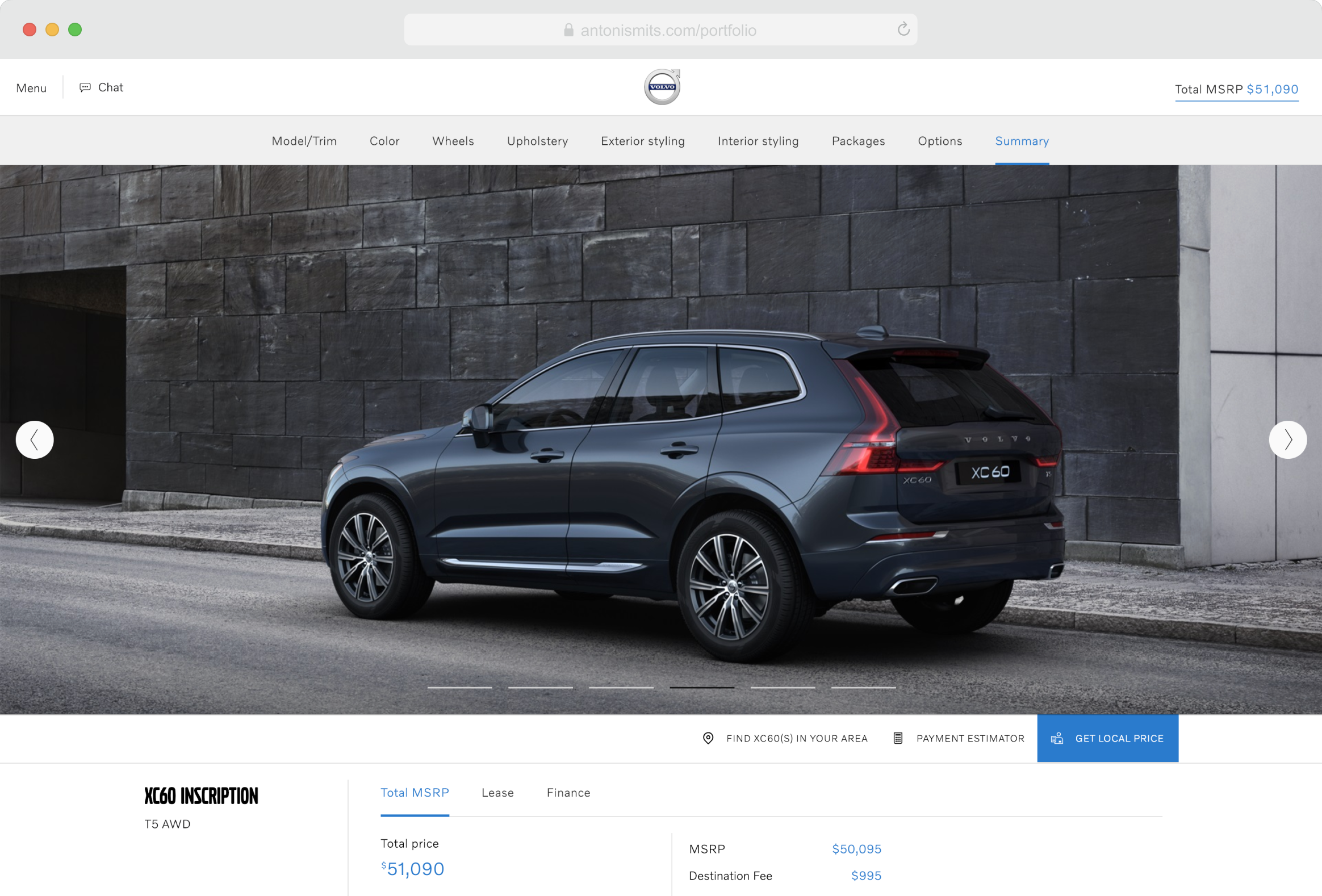
The Volvo Cars team in Gothenburg asked me to help improve their web-based car configurator. The main goals were to increase global conversions and customer satisfaction, and to introduce new features that offered a more realistic and engaging way for users to explore the cars they were interested in.
We were also asked to adapt the configurator for different markets to meet regional regulations and cultural needs. To begin, we analysed how customers were using the existing tool through analytics and user feedback. Once we understood what worked and what didn’t, we started exploring improvements from both a high-level journey perspective and detailed interface elements like layout and content structure. We followed a lean approach, using fast iterations to design, test, and refine our ideas.
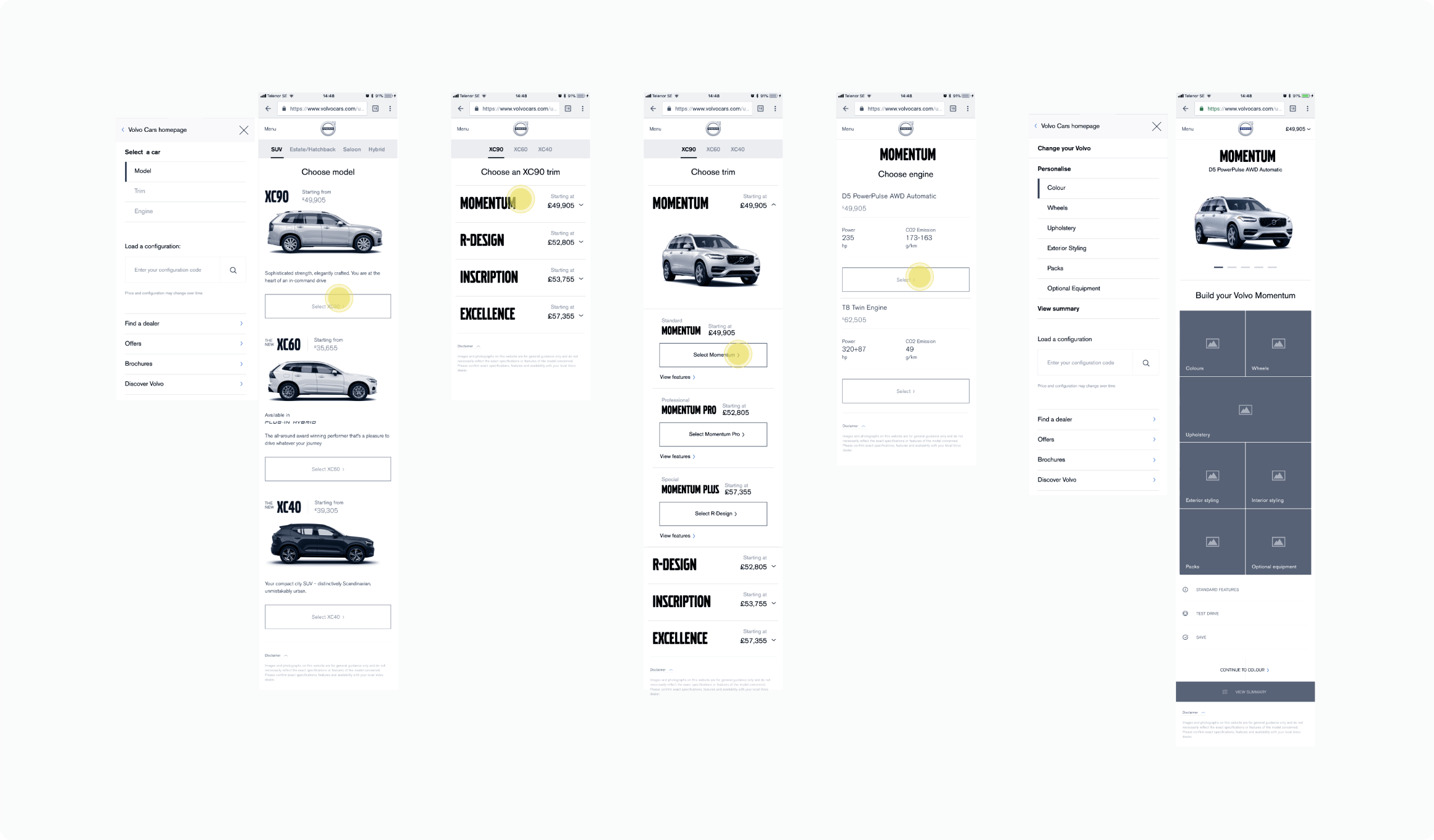
To validate early concepts, we used quick guerrilla research sessions. We tested prototypes with people in shopping centres and train stations, and also interviewed Volvo fans remotely through social media. Below is an example of one of these test sessions.
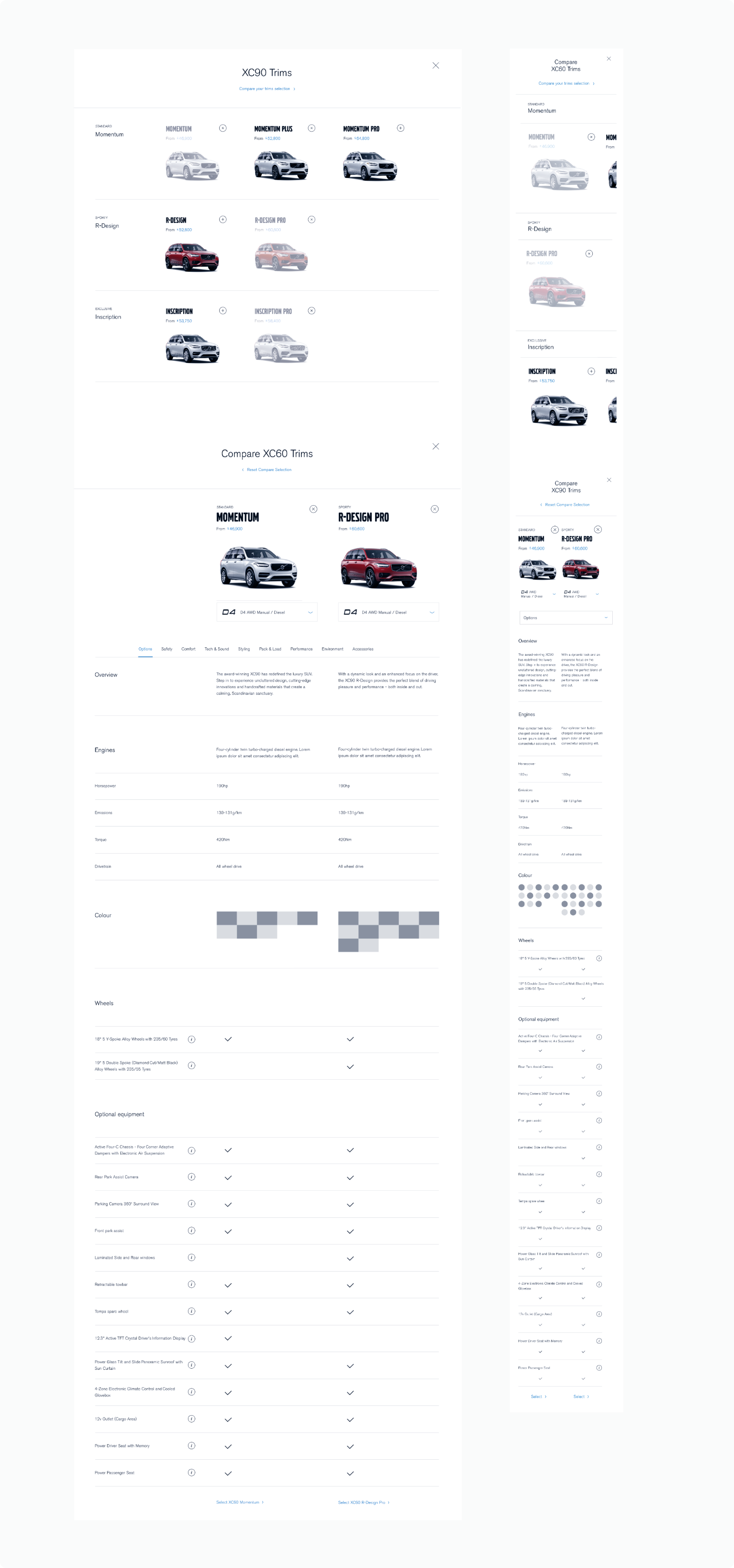
One of the trickiest parts was designing a comparison tool for different car trims and variations. The challenge came from technical limits on the backend and the need to serve users with different goals. Some people wanted a quick overview of the main differences, while others wanted every small detail. For the first group, the comparison table needed to be simple and focused. For the second, it had to show more depth and information. After several iterations, we found a balance that worked well for both.
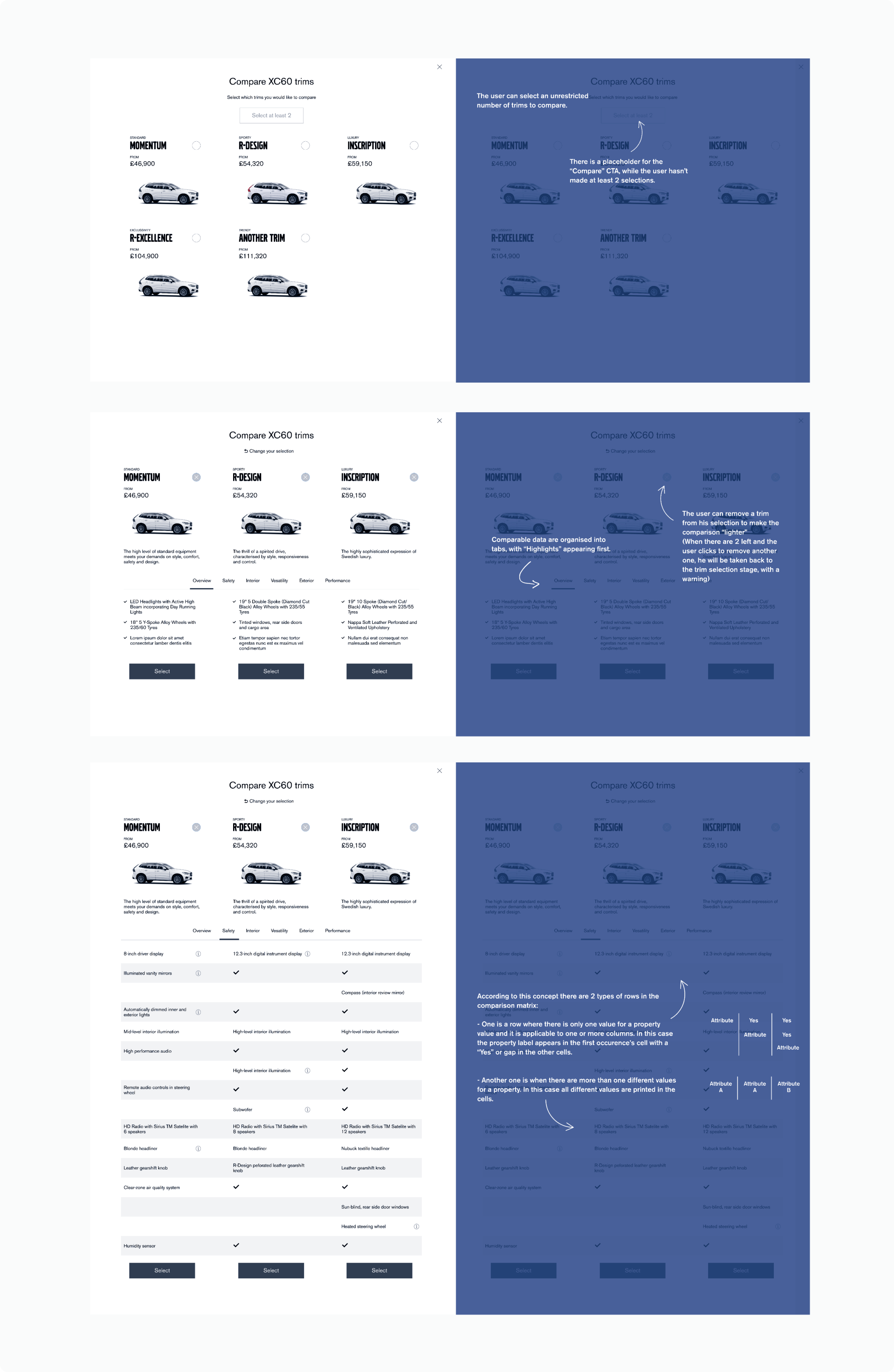
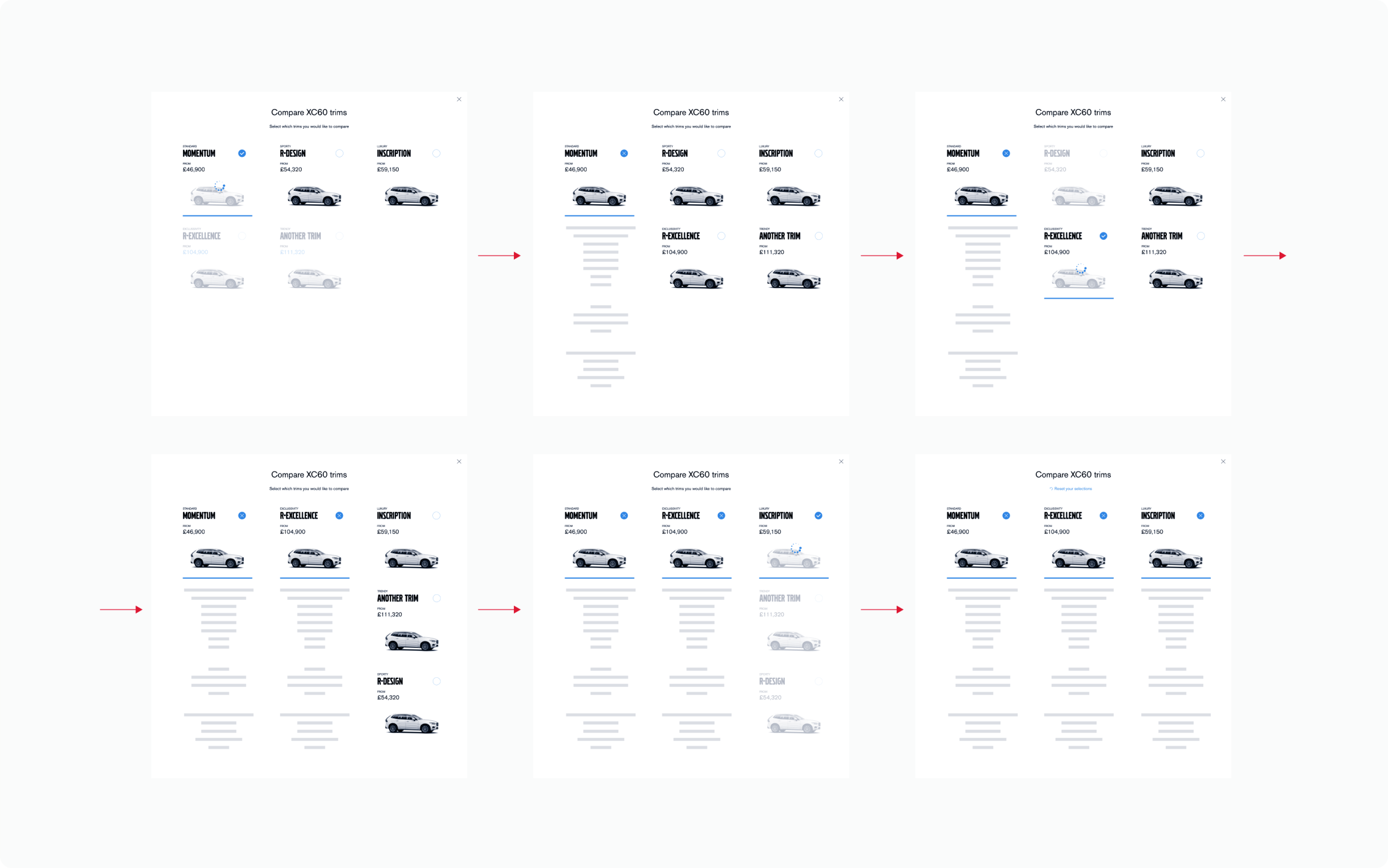
We also worked on making the transition into the comparison view smooth and natural, so users could compare trims without losing their place. The flow below shows how users could easily select or deselect trims in real time and continue their configuration without breaking the experience.
The final comparison design presented all key car features grouped into categories, with clear visual markers to highlight differences and make the experience easy to scan.
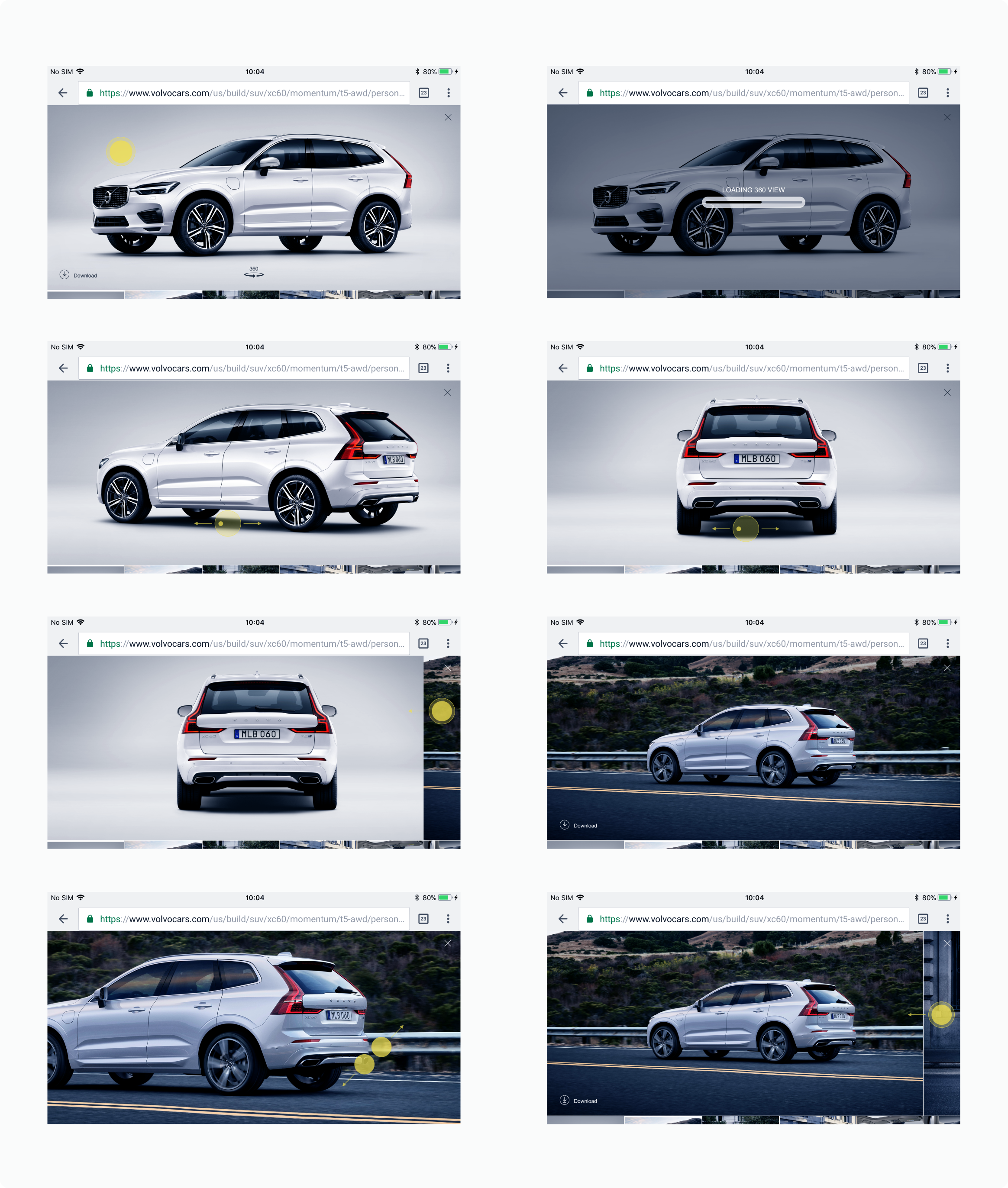
Another major improvement was adding real-time 360-degree car views during the configuration process. These were available for both the interior and exterior and displayed on a separate layer to keep the experience fast and smooth, especially for users on lower bandwidth. Users could zoom in or out and even download any frame to keep for later reference.